
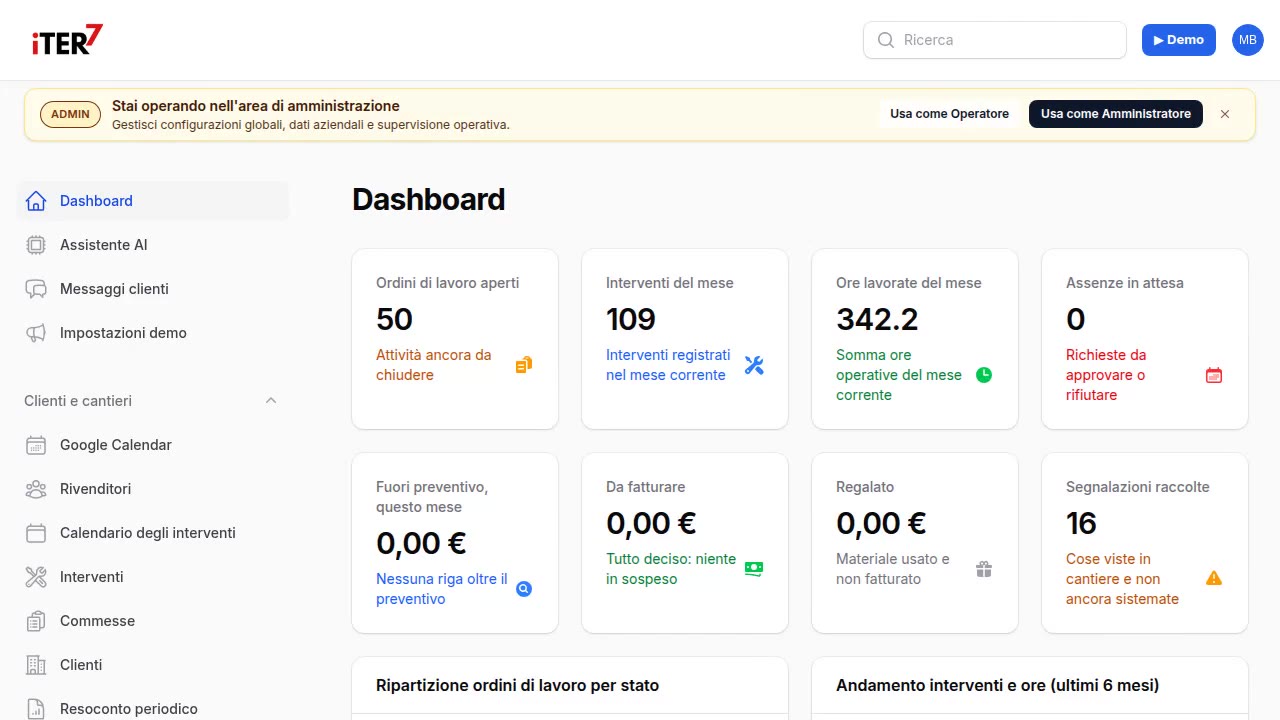
Do at least two of these sound familiar?
- Work reports are handwritten and someone copies them out in the evening.
- The appointment calendar lives in the head of whoever answers the phone.
- The quarterly checks on ropes and chains are remembered when the customer calls, not before.
- Each technician's job sheet is a piece of paper or a WhatsApp message.
- When a customer asks for the inspection history of an overhead crane, it is rebuilt from different folders.
What does a missed inspection or a lost work report cost?
- One job a week not invoiced because the work report never came back: with an average ticket of €150 that is over €7,000 a year (example, to redo with your figures).
- A well-written work report takes, estimated from the demos, 12-15 minutes; dictated by voice, three.
- In Italy, Legislative Decree 81/2008 requires quarterly checks on ropes and chains and periodic inspections of lifting equipment. A check that was done but has no written, signed record counts, when an inspector arrives, as a check that was not done.
What if inspection due dates created the jobs on their own?
Every jib crane and overhead crane has its own record: customer, type, capacity, date of the last check, next due date, contract. At the end of the month iTER7 prepares the list of inspections due and puts them in the calendar, assigned to technicians.
The technician opens the day's job sheet on the phone or tablet. At the end of the job they dictate the work report, attach photos of ropes, chains and plates, tick off the material used from the van and hand the tablet to the customer, who signs with a finger. The signed PDF goes out by email or WhatsApp. In the office the invoice is created from the signed report, without retyping.
Installations and revamping become jobs with their own budget: hours, material and documents kept apart, and the margin of each job at the end.
What does iTER7 do today, and what is added for lifting equipment?
Already there: a record for each piece of equipment with due dates and contract, scheduled maintenance, the calendar with jobs per technician, voice-dictated work reports with photos and customer signature, van stock, jobs with budgets, quotes and electronic invoicing.
Added to measure: the quarterly rope and chain checklist with the fields of your form, and printing the inspection log of each piece of equipment in the format you use today. We look at it together in the analysis and price it separately, with a written quote. Fully offline use is not available today.
How much does it cost?
Launch price list, excluding VAT, per company and not per user: add a technician and you do not pay more.
- Basic, €99 a month: job calendar, work reports from the phone with photos and customer signature, customers and installed equipment, branded PDF.
- Pro, €199 a month: everything in Basic plus voice-dictated work reports, van stock with QR codes, quotes and electronic invoicing, WhatsApp and email notifications.
- Onboarding, €500 to €1,500 one-off: setting up the equipment records, data import from Excel or your old system, on-site training for technicians.
Details are on the page how much does iTER7 cost.
The sensible next step
You do not need to decide today. Send me a month of inspections and one of today's work reports: I will reply in writing with how they would run in iTER7 and what would need adding for lifting equipment. If it is not for you, you still keep a written list of where you are losing time.
iTER7 is the management system for installation businesses in which every piece of equipment has its own record with inspection due dates, the calendar assigns jobs to technicians and the work report is signed on the tablet. It is in production at installation businesses that do the same kind of work: scheduled jobs, signed work reports, material on vans. For lifting equipment it is configured during onboarding, starting from your real inspections.
iTER7 at an installation company
Veneto · jobs, work reports, per-van stock
Why it matters: an installation company gets paid only once someone rebuilds what was done. Here the technician describes the job by voice, the customer signs on the phone and the invoice starts from the signed report: no paper to copy out in the evening, no forgotten extra work.
Before: paper work reports retyped in the evening, signatures to chase, materials disappearing from the vans, late invoices because first someone had to rebuild what had been done.
What was built: iTER7 with a job calendar, work reports dictated by voice on the phone, the customer's signature on screen, per-van stock with QR codes, branded PDFs and the electronic invoice from the signed report.
What changed: the work report is ready when the job ends, signed, and the invoice starts from there. No sheets to retype. Before-and-after times are being measured with the client: the numbers will appear here once measured, not estimated.
The AI inside: an assistant you talk or write to in Italian ("my jobs this week", "how many of this item are in van 2", "close the job"): it searches customers, jobs, stock and bills of materials on its own and prepares the action. The dictated work report becomes a draft with materials taken from the catalogue, and the system flags materials used beyond the quote. Quotes can be dictated too. Customers' WhatsApp messages and emails arrive already sorted: what they ask for, which job they refer to, what to do next. Photographed or PDF documents read themselves.
AI security: the AI proposes, a person confirms, and who and when is recorded. The assistant can only perform actions from a closed list, with a cap on proposals every ten minutes; manipulation attempts (prompt injection) are filtered; emails, IBANs, tax codes and card numbers never reach the logs. Coverage of the OWASP risks for LLM applications is documented item by item, including the ones not covered.
Data and AI: a dedicated instance for the company, data exportable at any time. AI models are chosen and changed in configuration (the interface also works with models hosted in the company); bill reading uses a service in the EU region. Under the AI Act it most likely falls under limited risk: the assistant states that it is automated and that nothing runs without confirmation, and it never evaluates people.
Try it yourself: the free demo opens with your own data: you just sign up with your email.