
What is a voice-dictated work report?
A voice-dictated work report is the job report the technician records by speaking into the phone at the end of the visit, instead of filling in boxes or writing on paper. The system transcribes the speech, splits it into the report fields (work done, hours, material, extras) and proposes it to the technician, who checks and confirms. The customer signs on the phone screen. From that signed report come the branded PDF and, if needed, the electronic invoice.
In iTER7 this is how the Pro plan works. It does not replace the technician: it removes the writing, not the judgement.
How does it work, step by step?
- Voice: at the end of the visit the technician opens iTER7 in the phone browser, taps the microphone and tells what was done.
- Text: speech becomes text in a few seconds, in the language it was spoken.
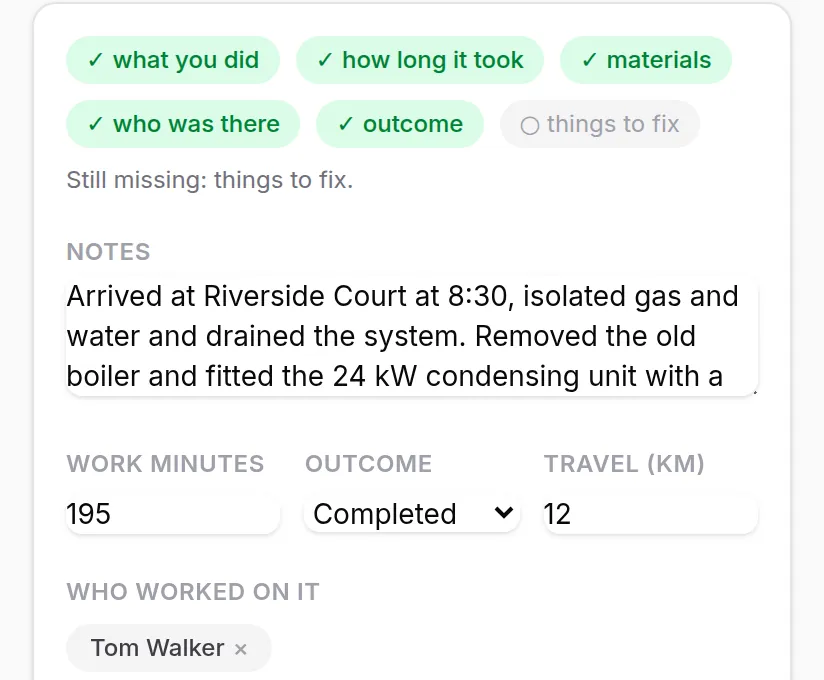
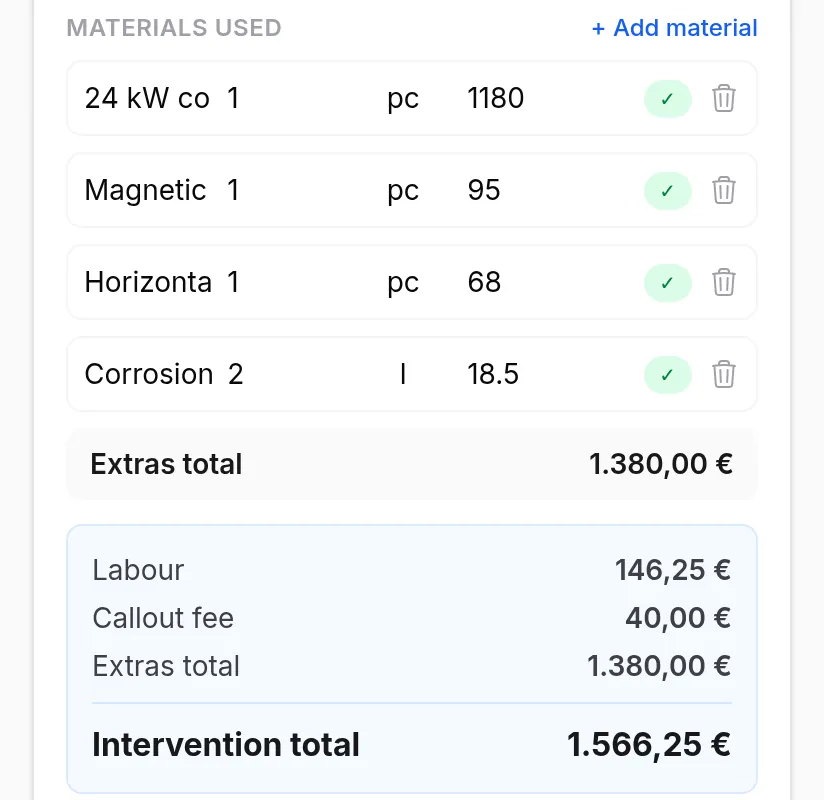
- Fields: the text is distributed into the report fields: description, hours, material used (ticked from the van list), extras to confirm.
- Technician's confirmation: the technician rereads, corrects if needed and confirms. Nothing leaves without it.
- Signature: the phone goes to the customer, who signs with a finger. The PDF goes out by email or WhatsApp.
- Office: the report is already written and signed; the electronic invoice comes from there, with no retyping.
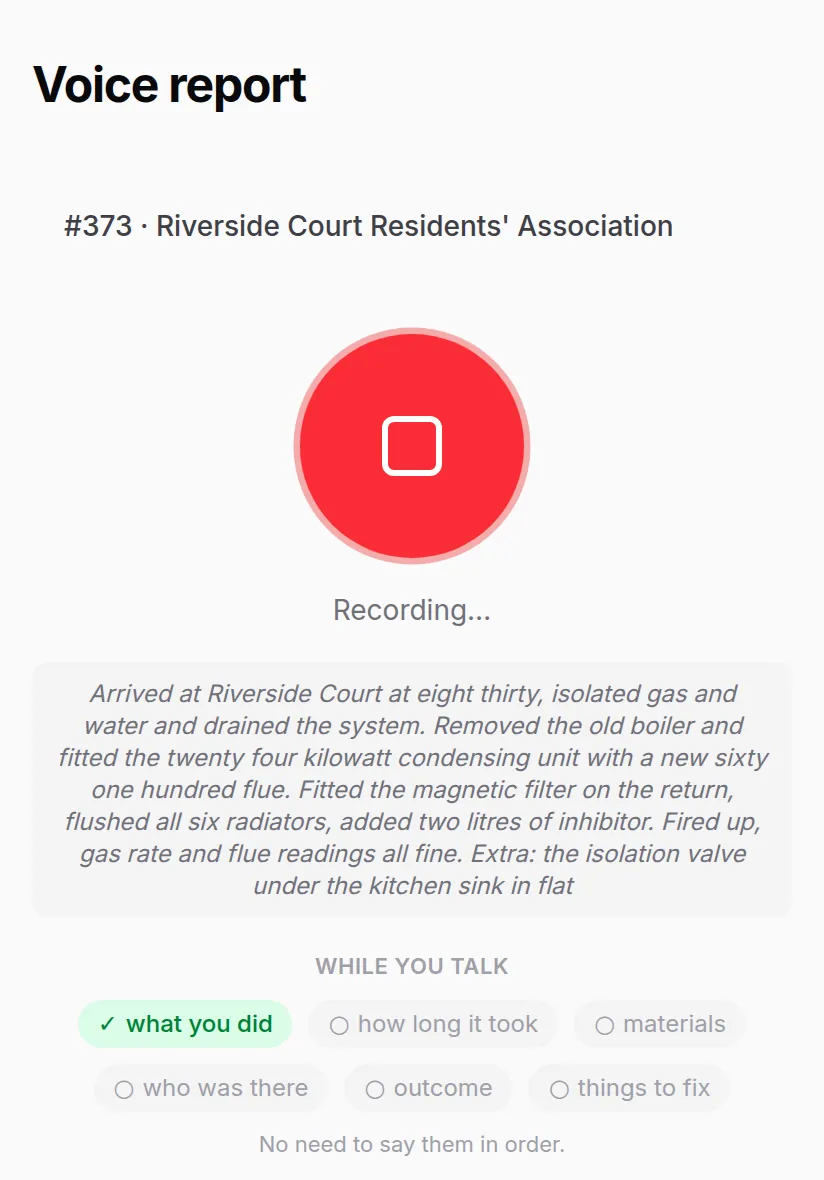
Real iTER7 screens on the technician's phone. The data is demo data, not a customer's.
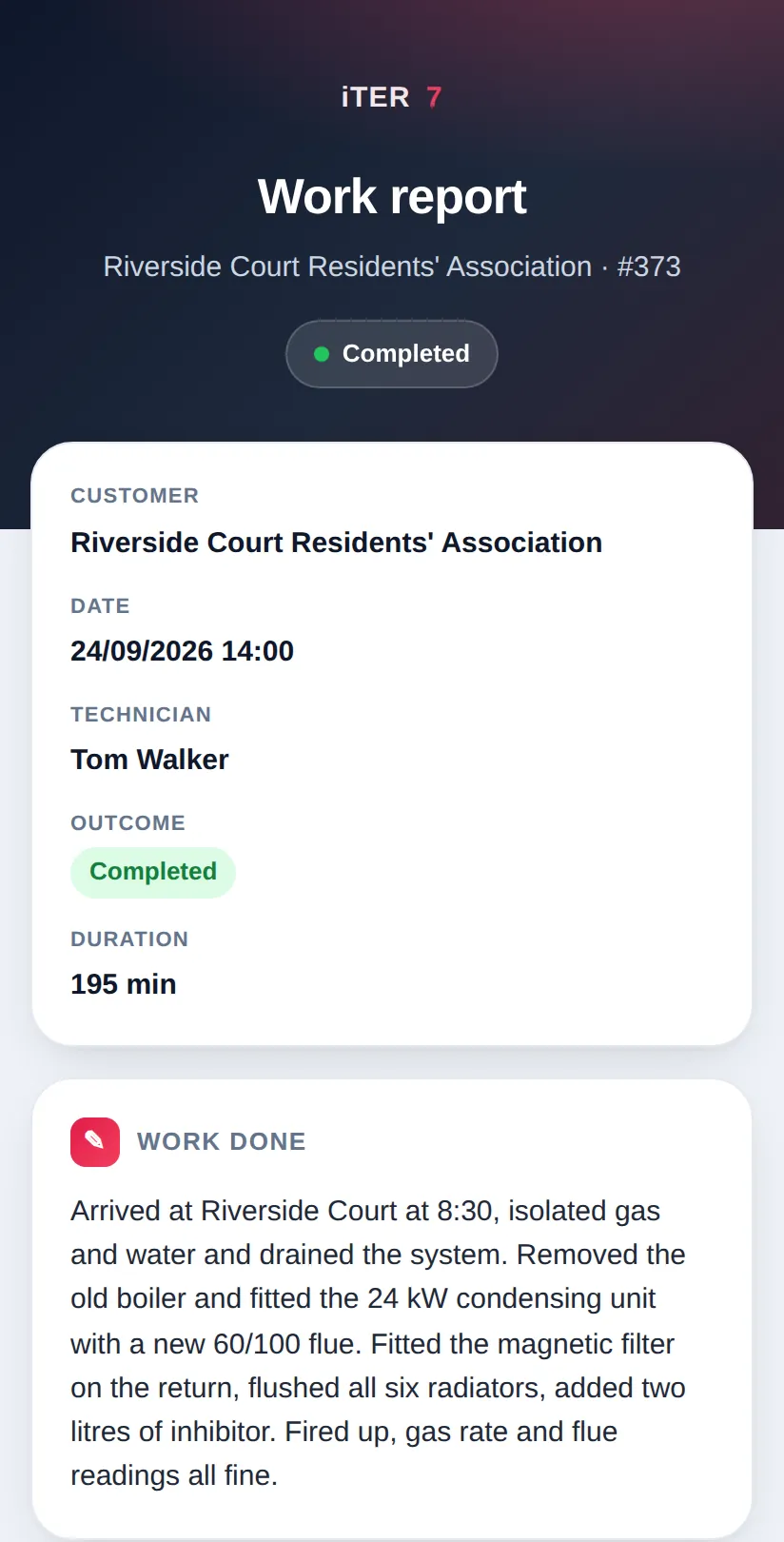
An example (an example, not a real report)
The technician dictates: "Replaced the boiler safety valve, recharged the system to one and a half bar, recommended cleaning the exchanger within the year. Used one half-inch valve and two fittings. Mr Rossi asked to add the garage tap, done, half an hour extra."
The system proposes: work done (valve replaced, system recharged), advice to note (exchanger cleaning), material (1/2" valve, fittings x2, to tick from the van), extra to confirm (garage tap, 30 minutes). The technician confirms, the customer signs. The extra is in the report and will be on the invoice.
What do you need to use it?
- An Android phone or iPhone with a browser: no app to install.
- A data connection at the moment of dictation (even a weak one).
- iTER7 on the Pro plan, €199 a month per company, users included: the full price list is on How much does iTER7 cost.
- Ten minutes of training per technician, usually during onboarding.
What are the limits, said clearly?
- Without a connection you cannot dictate today: you type, and dictate when the network is back. Fully offline use does not exist.
- The text must be reread: product names and codes can come out wrong, which is why the technician confirms before the report leaves.
- The time per report is a demo estimate (about three minutes against 12-15 for a properly written report), not yet measured across several customers: in the demo we time yours.
- Loud site noise disturbs the transcription: dictate in the van, not next to the jackhammer.
The next step
The simplest way to find out whether it fits your company is to see it on a real job: Describe your problem. Pages by trade: plumbers and heating, electricians, boiler maintenance.
iTER7 at an installation company
Veneto · jobs, work reports, per-van stock
Why it matters: an installation company gets paid only once someone rebuilds what was done. Here the technician describes the job by voice, the customer signs on the phone and the invoice starts from the signed report: no paper to copy out in the evening, no forgotten extra work.
Before: paper work reports retyped in the evening, signatures to chase, materials disappearing from the vans, late invoices because first someone had to rebuild what had been done.
What was built: iTER7 with a job calendar, work reports dictated by voice on the phone, the customer's signature on screen, per-van stock with QR codes, branded PDFs and the electronic invoice from the signed report.
What changed: the work report is ready when the job ends, signed, and the invoice starts from there. No sheets to retype. Before-and-after times are being measured with the client: the numbers will appear here once measured, not estimated.
The AI inside: an assistant you talk or write to in Italian ("my jobs this week", "how many of this item are in van 2", "close the job"): it searches customers, jobs, stock and bills of materials on its own and prepares the action. The dictated work report becomes a draft with materials taken from the catalogue, and the system flags materials used beyond the quote. Quotes can be dictated too. Customers' WhatsApp messages and emails arrive already sorted: what they ask for, which job they refer to, what to do next. Photographed or PDF documents read themselves.
AI security: the AI proposes, a person confirms, and who and when is recorded. The assistant can only perform actions from a closed list, with a cap on proposals every ten minutes; manipulation attempts (prompt injection) are filtered; emails, IBANs, tax codes and card numbers never reach the logs. Coverage of the OWASP risks for LLM applications is documented item by item, including the ones not covered.
Data and AI: a dedicated instance for the company, data exportable at any time. AI models are chosen and changed in configuration (the interface also works with models hosted in the company); bill reading uses a service in the EU region. Under the AI Act it most likely falls under limited risk: the assistant states that it is automated and that nothing runs without confirmation, and it never evaluates people.
Try it yourself: the free demo opens with your own data: you just sign up with your email.